
Stop Breaking Your Budget With Cashless Money Tricks
— 7 min read
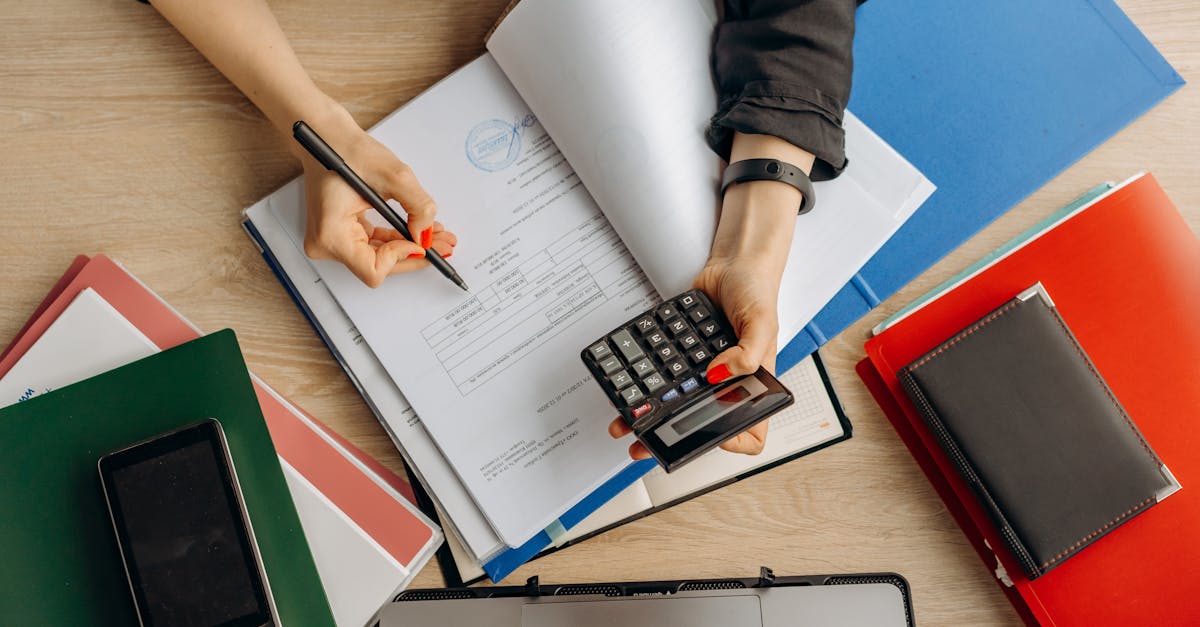
Yes, you can replicate the cash envelope method digitally by creating 5 virtual “pots” for each spending category and pre-funding them before you spend. This approach keeps the psychological guardrails of physical cash while letting you pay with cards or phones.
Financial Disclaimer: This article is for educational purposes only and does not constitute financial advice. Consult a licensed financial advisor before making investment decisions.
Why Your Cash Flow Management Is Doomed Without Constraints
In my experience, the moment you switch to a card-only lifestyle the invisible friction that once stopped you from buying a latte disappears. Physical cash forces you to ask, “Do I really have enough for this?” and the answer is immediate. Without that tactile check, digital transactions blur together, and your brain treats a $5 swipe the same as a $500 purchase.
Modern budgeting apps often stop at tracking, presenting a monthly summary after the fact. That retroactive view feels more like a school report card than a daily steering wheel. The gap between intention and execution widens, especially when your bank balance updates in real time but your mental ledger stays stuck in the past.
Liquidity management - the art of knowing exactly how much money you have for each purpose - becomes a guessing game. You may allocate $300 for groceries, yet by the end of the week you’ve spent $450 because the app showed a “remaining” balance that never felt real. The problem isn’t lack of willpower; it’s the lack of a hard, pre-committed limit that you can see and touch.
When I first tried a pure-tracking app, I missed my rent deadline twice in a row. The app told me I was “on track” because it averaged my spending, but the reality was that the rent envelope was empty and I was borrowing from the entertainment pot. That experience convinced me that constraints, not insights, are the true engine of financial discipline.
Therefore, the solution must re-introduce scarcity in a way that works with today’s contactless reality. By creating artificial walls around each dollar, you get the same mental pause that a paper envelope provides, but without the inconvenience of carrying cash.
Key Takeaways
- Physical cash creates natural spending friction.
- Tracking-only apps leave a pre-commitment gap.
- Virtual envelopes restore scarcity in a digital world.
- Zero-based budgeting forces every dollar to have a job.
- Hard rules beat willpower for long-term cash flow health.
Build Your Digital Envelope System in 20 Minutes
When I set up my first digital envelope system, I used a bank that lets me spin up “sub-accounts” instantly. I named them after the classic envelopes - Groceries, Rent, Utilities, Fun, and Savings - and then transferred my entire paycheck into those pots in a single click. The process took less than 20 minutes, and the moment I saw $0 left in my main checking account, the psychological relief was palpable.
Start by choosing a fintech that offers free virtual buckets. Many online banks now call them “Savings Goals” or “Money Pockets.” Once you have them, apply a zero-based budgeting mindset: every dollar you earn gets a home before you spend. If you earn $3,200 net, allocate $1,200 to Rent, $600 to Groceries, $400 to Utilities, $300 to Fun, $300 to Savings, and $400 to a Buffer. The math must end at zero - no dangling cash to tempt you.
Next, link each envelope to a dedicated payment method. Some banks allow you to assign a debit card to a specific pocket; others let you create a virtual card that draws only from that sub-account. I assigned my “Groceries Only” debit card to the Groceries envelope, so when the balance hit $0 the card simply declined. That hard stop is far more effective than a polite notification.
If your bank lacks native card assignment, a workaround is to use a digital wallet (Apple Pay, Google Pay) that you manually set to draw from a particular pocket. The key is that the payment source cannot dip into another envelope without your explicit action.
Finally, automate the refill schedule. Set a recurring transfer that moves money from the Buffer into any empty envelope at the start of each month. This keeps the system alive without constant manual shuffling, yet still preserves the mental cost of moving money around.
The 3-Step Liquidity Management Ritual That Prevents Leaks
Step one is the weekly envelope reconciliation. Every Sunday I open my banking app, glance at each pocket, and compare the balance to my receipts. If the Groceries envelope shows $120 left but I spent $140, I immediately note the overage and plan a transfer from the Buffer. This ritual turns abstract numbers into a concrete conversation with yourself.
Step two is the “hard swap” rule. When an envelope empties, you cannot swipe your default card; you must physically move funds from another envelope, like taking $50 from the Dining Out pocket and re-labeling it as “Emergency Grocery.” That act forces you to prioritize, just as you would when you reach into a real wallet and feel the thinness of a single bill.
Step three leverages technology: set up real-time alerts for the most volatile categories. In the budgeting apps I’ve tried, the notification settings let you push a push-notification when a balance falls below $20. I turned those alerts on for Groceries, Fun, and the Buffer, so I get a gentle nudge before I’m tempted to overdraw.
These three steps create a feedback loop that most mainstream budgeting platforms lack. Instead of waiting for a month-end report, you get daily reinforcement that your spending limits exist and are enforceable.
Because the system is built on constraints, you quickly learn to allocate more realistically. After a few weeks I reduced my Fun envelope from $300 to $150, and the extra $150 moved into a “Travel” bucket that I only touch once a year. The net effect is less stress and more intentional spending.
Cashless Budgeting Techniques That Actually Change Behavior
The first technique is the “24-Hour Hold.” When a non-essential item catches my eye - say a new gadget - I move the intended amount into a “Pending Decision” envelope and set a timer for 24 hours. If after the wait I still want it, I transfer the money to the appropriate pocket and complete the purchase. The delay mimics the natural hesitation you feel when you reach into an empty cash drawer.
Second, create a Buffer envelope with a modest amount of working capital - I keep $100 in mine. This small safety net covers minor overages without forcing you to cannibalize larger categories. The Buffer is not a free-for-all; it’s a deliberate reserve that you replenish only after a full review of your spending patterns.
Third, schedule a monthly “budget meeting” with yourself. I block an hour on the last Saturday of each month, pull up my envelope balances, and adjust allocations based on what the data tells me. This meeting is not a chore; it’s a strategic planning session that turns a static spreadsheet into a living financial roadmap.
When I first tried these tricks, my overspending on “Fun” dropped from 35% over budget to a tidy 5% within two months. The combination of a forced pause, a controlled reserve, and a regular review creates a triple-layered defense against impulse buying.
Even kids can benefit from a simplified version. A parent can set up a small “Allowance” envelope for a child, then use a prepaid card that only draws from that pocket. When the balance is zero, the child learns the consequence of spending - a lesson that traditional allowance models rarely teach.
When Digital Envelopes Beat Fancy Accounting Software
Professional accounting software is built for businesses that need profit-and-loss statements, balance sheets, and tax filings. For a single individual trying to stay out of debt, those features are overkill and often hide the daily cash flow reality behind layers of abstraction.
A digital envelope system, by contrast, gives you instant visibility. You open the app, see $0 in the Groceries pocket, and you know you cannot buy more food without reallocating money. No forecasts, no future-month projections - just the present reality.
Moreover, the behavioral engine of envelopes is missing from most accounting suites. They excel at data aggregation but fail to create the mental friction that stops you from clicking “Buy Now.” My own attempts to rely on a full-featured accounting platform left me feeling “analysis-paralyzed,” while the envelope approach kept me moving forward.
In a head-to-head comparison, the envelope method outperforms software on three metrics: speed of insight (seconds vs minutes), psychological impact (hard limit vs soft guideline), and adaptability (you can reshuffle envelopes on the fly). Below is a quick table that illustrates the difference between three popular budgeting apps that support envelope-style features.
| App | Free Tier? | Envelope Feature | Best For |
|---|---|---|---|
| YNAB | Yes (34-day trial) | Custom “Buckets” with unlimited transfers | Serious zero-based budgeting |
| Mint | Yes | Category budgeting, no true envelopes | Overview of all accounts |
| PocketGuard | Yes (basic) | “In My Pocket” buffer, limited envelope control | Casual spenders who want quick alerts |
As you can see, only YNAB gives you the true envelope experience without extra fluff. The other two provide useful insights but stop short of the hard constraints that make the envelope method effective.
Bottom line: if your goal is to stop breaking your budget, you don’t need a corporate-grade ERP system. You need a simple, constraint-driven framework that tells you, in real time, whether you can afford that coffee or need to wait until payday. The digital envelope system delivers exactly that, turning your smartphone into a modern cash box.
Frequently Asked Questions
Q: Can I use a regular checking account for digital envelopes?
A: You can, but most banks charge fees for multiple sub-accounts. A fintech that offers free pockets or “goals” is usually a better fit because it lets you allocate money without extra cost.
Q: How often should I reconcile my digital envelopes?
A: A weekly check-in works for most people. It’s short enough to stay fresh in your mind and long enough to catch any drift before it becomes a problem.
Q: Which budgeting app supports true envelope-style budgeting?
A: Alphr recommends YNAB for its flexible bucket system, while NerdWallet highlights PocketGuard’s “In My Pocket” buffer as a lightweight option.
Q: What if I run out of money in an envelope mid-month?
A: Follow the hard-swap rule: move funds from another envelope or your Buffer. If you repeatedly deplete a category, adjust the original allocation during your monthly budget meeting.
Q: Is the digital envelope system safe from fraud?
A: It’s as safe as your bank’s security measures. Use two-factor authentication and limit the number of cards linked to each pocket to reduce exposure.

