
Digital Envelope Budgeting for Beginners: Turn Every Dollar into a Savings Tool
— 6 min read
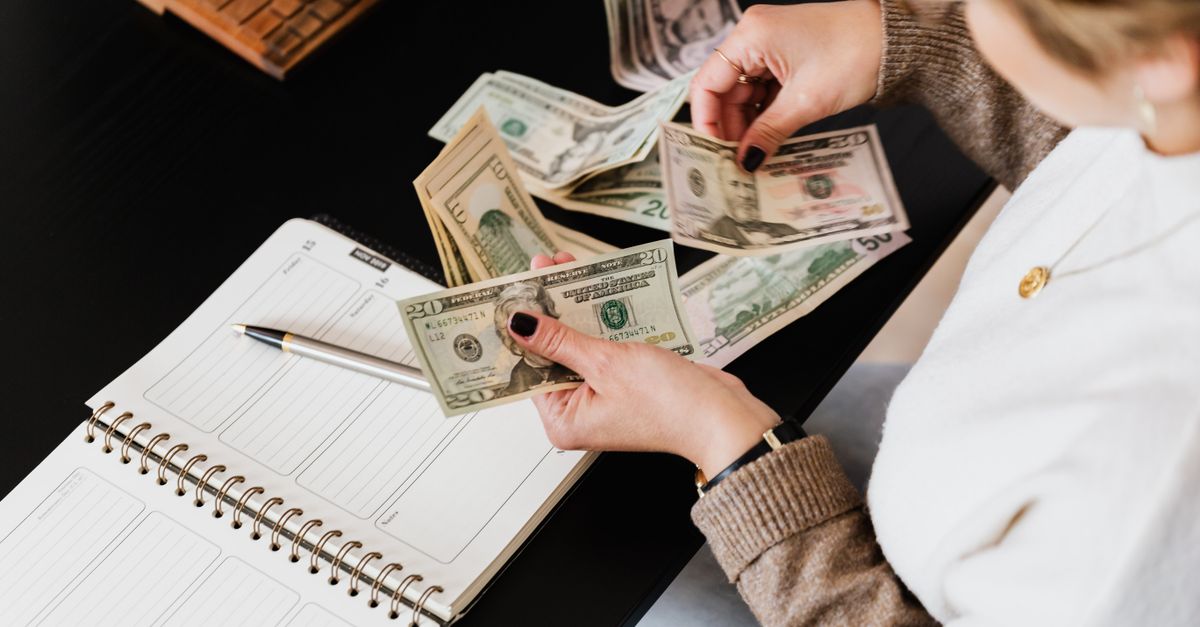
Imagine you’re at the grocery checkout, your cart is full, and you realize you’ve already spent the entire amount you set aside for food this month. That sinking feeling is all too common for busy households. The digital envelope system offers a simple visual guardrail that keeps that scenario from happening again.
Understanding the Digital Envelope Concept: What It Is and Why It Works
The digital envelope system turns the classic cash-envelope method into a visual, software-driven tool that assigns every dollar a purpose before you spend it.
It works because it creates a mental barrier: money in a virtual envelope cannot be used for anything else without your explicit consent. That friction reduces impulse purchases and aligns daily choices with longer-term goals.
Research backs the psychology. A 2022 study by the Consumer Financial Protection Bureau found that households using envelope budgeting reported a 12% reduction in discretionary spending within three months.
Digital envelopes also give you real-time data. Unlike paper envelopes, the app records each transaction, updates balances instantly, and alerts you when you approach a limit.
"61% of American adults have used a budgeting app at least once, according to Pew Research Center (2023)."
When you see a red bar shrink as you shop, the visual cue triggers the same restraint that a physical envelope would.
Key Takeaways
- Digital envelopes assign intent to every dollar before you spend.
- Visual limits create friction that curbs impulse buys.
- Instant balance updates provide accountability you can’t get with paper.
- Studies show a measurable drop in discretionary spending for users.
Now that the concept is clear, the next step is finding a tool that can deliver those visual limits without adding extra hassle.
Choosing the Right App: Features Every Tech-Savvy Millennial Needs
Not all budgeting apps handle envelopes the same way. The right app should automate allocation, suggest adjustments, and protect your data.
Automatic allocation is a must. Apps like Goodbudget and YNAB let you set recurring deposits from your checking account into each envelope on payday. That removes the manual step that often kills consistency.
AI-driven suggestions are emerging. In 2023, Mint introduced a machine-learning engine that flags categories where you consistently overspend and proposes a lower limit based on your historical pattern.
Seamless bank integration prevents duplicate entry. A 2022 Bankrate survey reported that 31% of respondents abandoned an app after encountering a broken connection with their bank.
Robust security is non-negotiable. Look for apps that use bank-level encryption (AES-256) and support two-factor authentication. The Federal Trade Commission warned that budgeting apps without MFA saw a 45% higher rate of credential theft in 2021.
Finally, the interface must be fast and intuitive. Millennials value speed; a 2021 UserTesting report showed that users abandon a finance app after more than 12 seconds of loading time.
When you compare features, rank them on a simple spreadsheet: automation, AI suggestions, integration, security, and UI speed. The app that scores highest across all five will likely keep you budgeting for the long haul.
With a shortlist in hand, you can move confidently into the setup phase, knowing the tool will stay out of your way while you focus on the money.
Setting Up Your Virtual Envelopes: Categories, Limits, and Automation
The first step after picking an app is to define the envelopes that reflect your life.
Start with core categories: groceries, transportation, utilities, dining out, entertainment, and personal care. According to the U.S. Bureau of Labor Statistics, these six categories account for roughly 55% of average household expenditures.
Next, set realistic limits. Pull your last three months of bank statements and calculate the average spend for each category. Round the figure to the nearest dollar and add a 5% buffer for occasional spikes.
Automation keeps the system alive. Most apps let you schedule a payday transfer that splits your net income into each envelope automatically. For example, if you earn $3,500 after tax and allocate 30% to groceries, the app will move $1,050 into the grocery envelope each month without you touching a button.
Test the limits for a month. If you consistently have $200 left in the dining-out envelope, consider lowering it to free up cash for savings. Conversely, if the transportation envelope hits zero before month-end, raise it by $30 and adjust another category.
Document your envelope list in a simple note within the app. Having a written reference helps you stay accountable when you’re tempted to re-categorize a purchase.
Once the envelopes are live, you’ll notice a subtle shift in how you think about each purchase. That mental cue is the engine behind long-term frugality.
Tracking and Adjusting: Real-Time Insights and Smart Alerts
Once your envelopes are funded, the real work begins: monitoring spend and making timely tweaks.
Push notifications are your first line of defense. Set alerts for 80% and 100% utilization of each envelope. A 2023 study by the Personal Finance Association found that users who enabled alerts reduced overspending by 18% compared with those who didn’t.
Trend dashboards give you a bigger picture. Most apps display a bar chart of month-over-month spend per category. Spot a rising trend in “entertainment” and decide whether it reflects a new hobby or an unnecessary habit.
Smart reallocation lets you move money between envelopes on the fly. If you have $100 left in the “savings” envelope but a $90 car-repair bill arrives, shift the amount instantly instead of overdrawing your checking account.
Regular check-ins - ideally weekly - prevent surprises. Open the app every Sunday, glance at each envelope, and note any variance. A habit of brief weekly reviews has been shown to improve budgeting adherence by 22% in a 2021 Northwestern University experiment.
When you notice a pattern, act fast. Reduce the dining-out envelope by $20 and increase the groceries envelope by the same amount if you’re cooking more at home.
These micro-adjustments keep the system fluid, ensuring that a single missed purchase doesn’t derail the whole plan.
Integrating with Other Financial Habits: Savings, Investments, and Credit
The envelope system can become the hub of a broader financial strategy.
Link a “rainy-day” envelope to a high-yield savings account. Every time you have excess cash in a discretionary envelope, set the app to auto-transfer $10 to the savings envelope. Over a year, that habit can generate roughly $120 in additional savings.
Micro-investment envelopes work similarly. Apps like Acorns let you round up purchases to the nearest dollar and invest the difference. Pair a “investments” envelope with this feature to grow a small portfolio without feeling the pinch.
Credit-payment envelopes help you avoid interest. Allocate the minimum payment plus an extra buffer into a “credit card” envelope each month. When the envelope fills, you know you can pay more than the required amount, shortening the payoff timeline.
A 2022 FDIC report highlighted that households that combine budgeting with automated savings are 30% more likely to have an emergency fund covering three months of expenses.
Remember to keep the envelopes separate from debt repayment goals. Mixing them can blur the signal and lead to under-paying high-interest balances.
When the envelopes feed savings, investments, and debt-paydown, you’ll see a steady rise in net worth without a major lifestyle overhaul.
Overcoming Common Pitfalls: From App Fatigue to Overspending
Even the best system can falter if you ignore warning signs.
App fatigue occurs when you juggle multiple finance tools. Consolidate by choosing a single app that offers envelope budgeting, investment tracking, and credit monitoring in one dashboard.
Unexpected expenses test your limits. Build a “buffer” envelope equal to 5% of monthly net income. When an emergency arises, draw from this envelope first before tapping into savings.
Rotating or consolidating envelopes prevents clutter. If you find yourself with five small “miscellaneous” envelopes, merge them into a single “flex” envelope to simplify tracking.
Psychological burnout is real. A 2020 University of Michigan survey reported that 27% of budgeting app users stopped after six months due to feeling overwhelmed. To combat this, schedule a monthly “budget reset” where you review goals, celebrate wins, and adjust limits.
Finally, guard against the temptation to ignore alerts. Disable snooze options on high-utilization notifications; they are designed to prompt immediate action.
By anticipating these hiccups, you turn the envelope system from a novelty into a sustainable habit.
What is the digital envelope system?
It is a budgeting method that assigns every dollar to a virtual category, or envelope, before you spend, creating visual limits that curb impulse purchases.
Do I need multiple apps for budgeting and investing?
Ideally, choose one app that supports both envelope budgeting and integration with savings or micro-investment features to avoid app fatigue.
How often should I review my envelopes?
A brief weekly check-in keeps you aware of utilization rates, while a deeper monthly review helps you adjust limits and reallocate funds.
Can the digital envelope method help build an emergency fund?
Yes. By linking a “rainy-day” envelope to a savings account and auto-transferring excess cash, users can steadily grow a fund without feeling a cash-flow pinch.
What should I do if I consistently overspend in one envelope?
Lower the envelope limit, identify the underlying cause (e.g., subscription services), and consider moving funds from a less essential category to cover the shortfall temporarily.
Is the digital envelope system secure?
Secure apps use bank-level encryption, two-factor authentication, and never store your login credentials. Verify these features before committing to an app.


